Projects, tasks, notes

Your list, handled.

Amber is the leanest way to manage everything you do: work projects, side hustles and family life, all in one clean black-and-white app where color only means something.

No setup. No login walls. No subscriptions. Same account on phone and web.

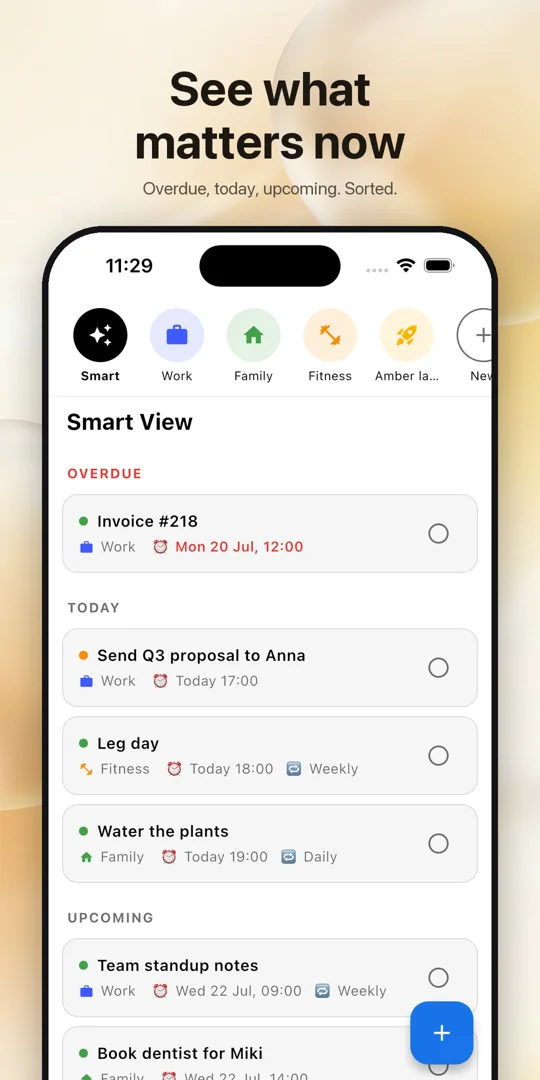
Amber Smart View on a phone: overdue, today and upcoming tasks

Why Amber

Capture fast, see only what matters now, never miss a deadline.

Amber Smart View: overdue, today and upcoming tasks across projects

Smart View

Overdue, today, upcoming. Only what needs you now.

Illustration of an alarm clock ringing next to a phone reminder

Reminders that act like alarms

They ring at full volume and repeat until you see them.

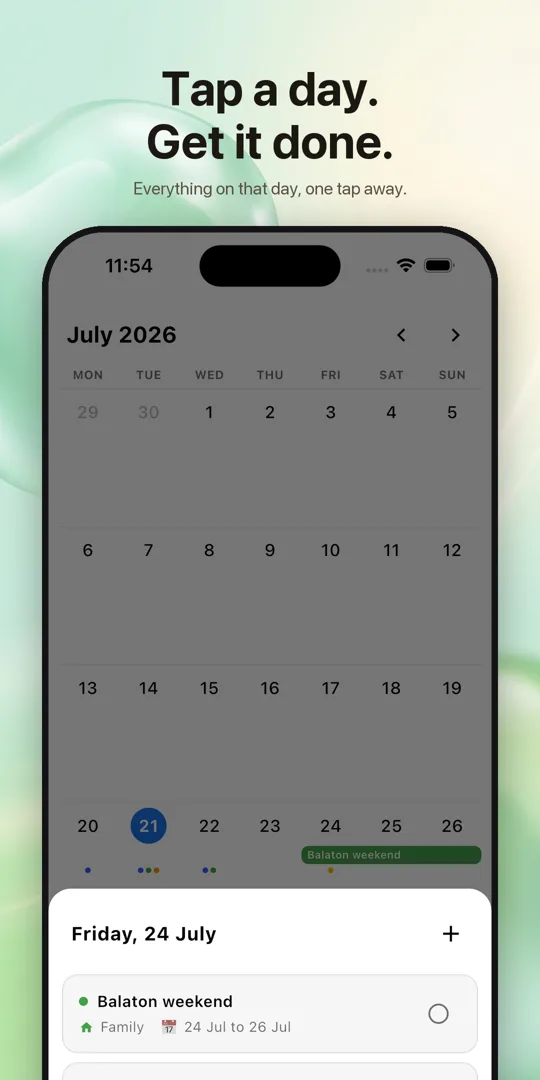
Amber month calendar with deadline dots and multi-day project bars

A calendar that shows your life

A month at a glance, your projects as colored bars.

Amber task list showing weekly and daily repeating tasks

Repeating tasks

Complete it once and it rolls to the next occurrence.

Amber account screen with a 6-letter sharing ID and friends list

Share with your people

One 6-letter ID. Invite your partner or team, assign tasks.

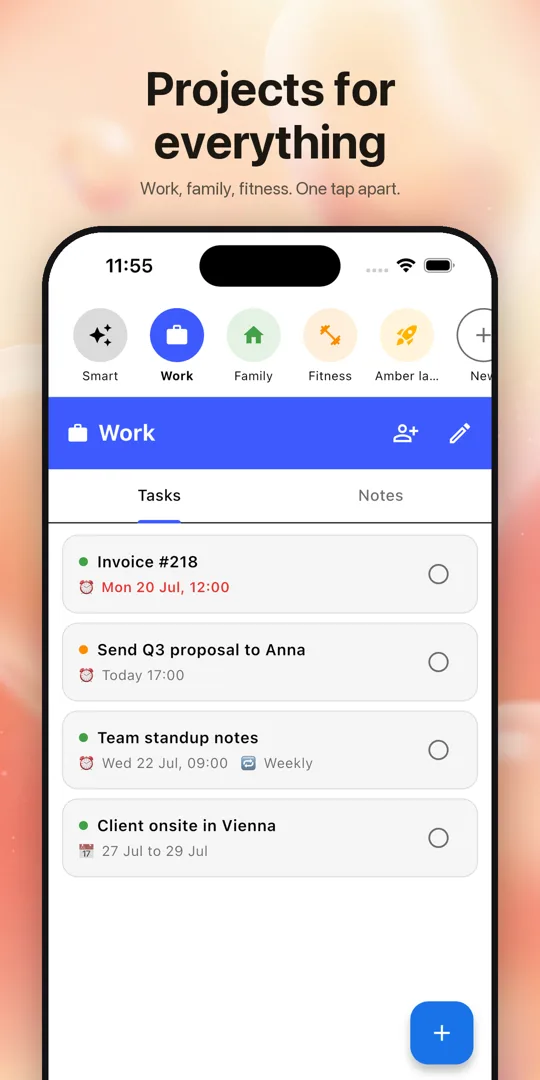
Amber project view with tasks and notes tabs

Projects and notes

Every area of your life gets its own project and notes.

The story behind Amber

Built by someone who tried everything else

Amber was made by a software engineer who had tried, quite literally, every project management tool, to-do list and note-taker out there, and none of them worked simply. Each one arrived bloated with features nobody asked for, then fenced the useful parts behind free-tier limits and subscriptions that cost more than the problem they solved. They behaved like businesses first and tools second, when all anyone wanted was a handful of things that work out of the box.

The creator has ADHD, which turned a preference into a requirement. A tool had to show several projects in a heartbeat, without digging through boards, views and filters, and it had to keep working on the days when you are procrastinating, not only on the good ones. That is why Amber surfaces what matters on its own, rings like an alarm instead of whispering, and keeps nagging about overdue work until it is actually done.

So Amber stays lean on purpose: no bloat, no paywalls, no subscription, nothing standing between you and your list.

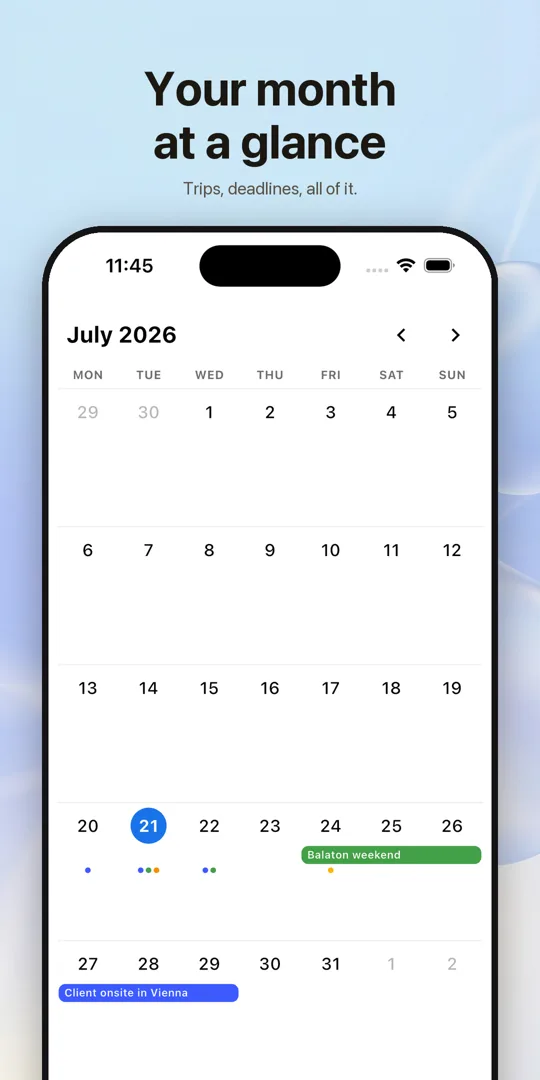
Illustration: a person at a clean desk with one clear overview board, cluttered app windows faded in the background

Black and white, color where it matters

Light and dark mode, five color-coded priority levels, and home screen widgets that keep your Smart View one glance away.

Smart View Calendar month view Task editor with reminders Project sharing

Made for real life

Questions, answered

Is Amber free?

Yes. Amber is free on Android, iPhone and the web, with no subscription, no ads and no feature limits.

Do I need an account?

No. Continue as a guest and start immediately. You can link a Google or Apple account later from the Account page to use the same data on other devices; your 6-letter ID and everything else stay unchanged.

How is Amber different from other to-do apps?

Amber shows only what matters now. Smart View surfaces overdue items, today's tasks and upcoming deadlines, and reveals lower-priority tasks only when their time comes, so several projects can be overviewed in a heartbeat. Reminders behave like alarms instead of quiet notifications.

Can I share projects with my partner or team?

Yes. Every account gets a private 6-letter ID. Exchange IDs, add each other as friends, invite them into a project and assign tasks. Members get a push notification when a task is assigned to them and when something gets completed.

Does Amber work on the web?

Yes. Open Amber in any browser with the same account; tasks, projects and notes sync live with the phone app. Reminders ring on your phone.

Does it work offline?

Yes. Tasks, notes and changes are saved on the device instantly and sync when you are back online. Reminders are scheduled locally on the phone, so they fire without a connection.

Open Amber and start

Free, on your phone and in your browser, with the same account everywhere.